Certification Requests
When a user is requesting a certification, they need approval from the verificator officer and the approval officer.
As the approval officer, it's our task to either accept or decline a user request only after it's been approved by the verificator officer. You can do this in the certification requests page section.
Accept User Request
As you can see, we have a request that has already been accepted by the verificator officer.
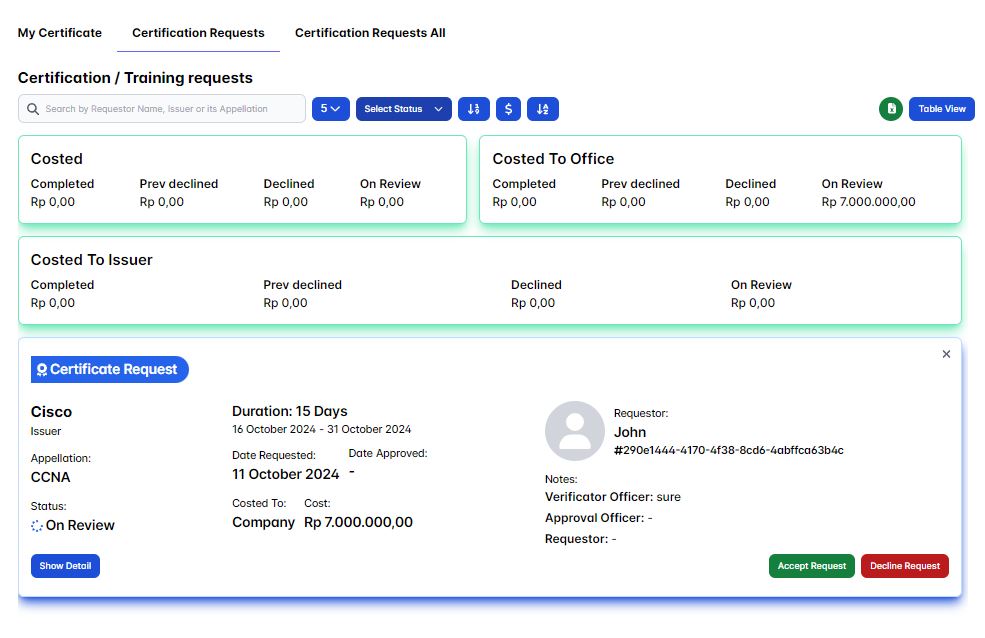
Click the Show Detail button. Now, you can see in the Request Timeline that the verificator officer has already accepted this user's request.
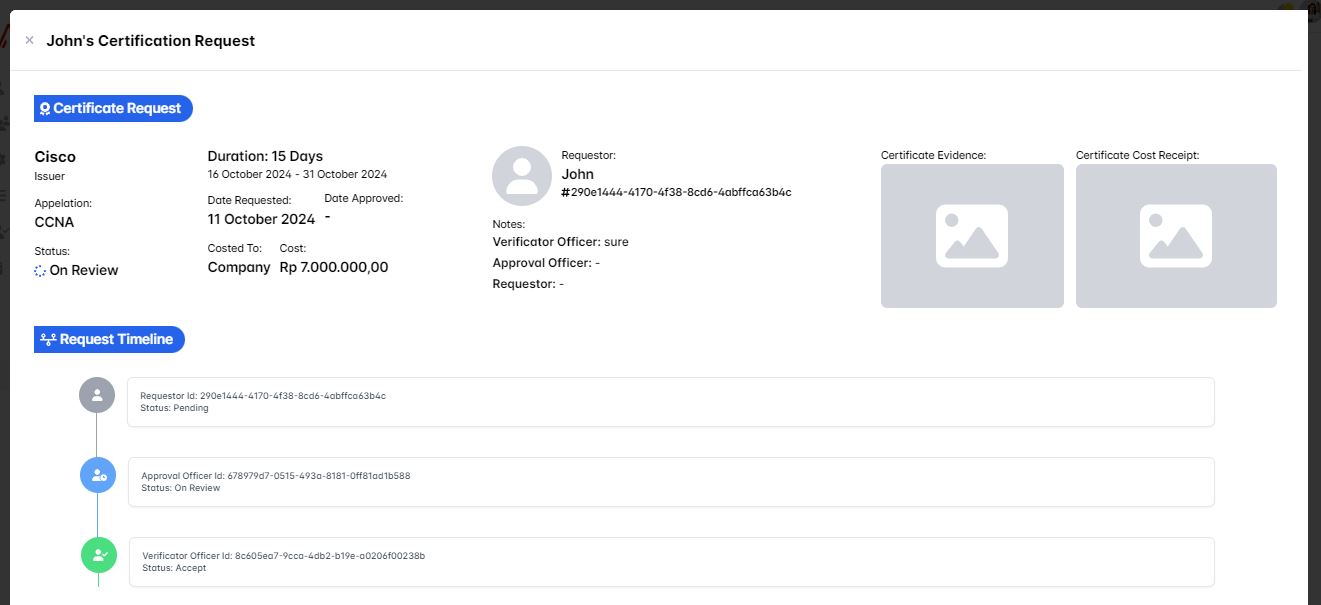
Now it's our turn as the approval officer to either accept or decline this user's request. In this case, let's accept the request.
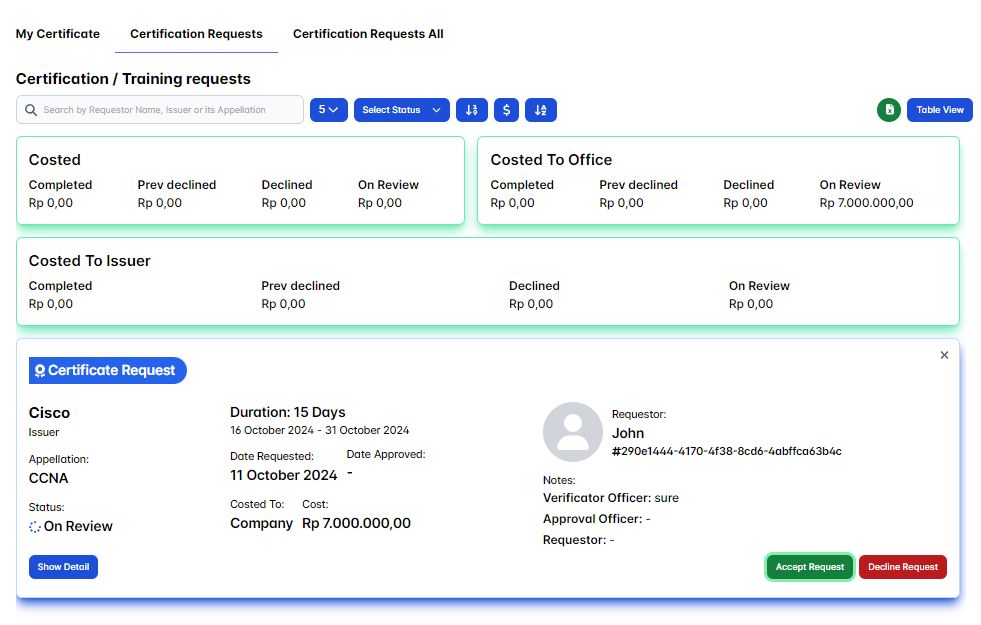
To accept the user's request, simply click the Accept Request button.
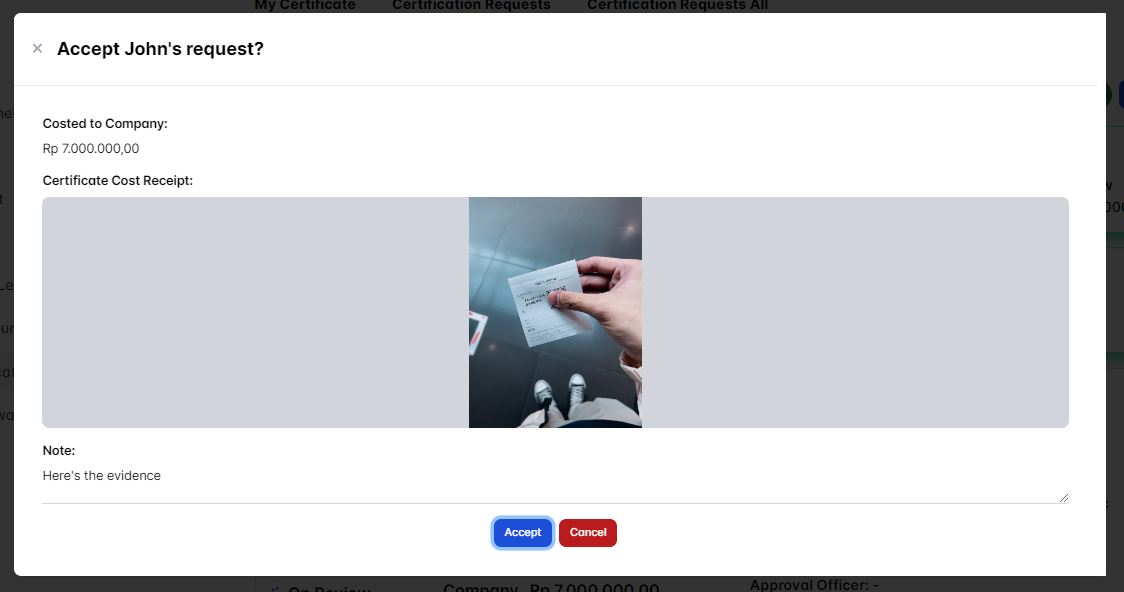
A confirmation pop-up will appear, prompting you to write a message and attach evidence for the requesting user. The requesting user will see your message on their side.
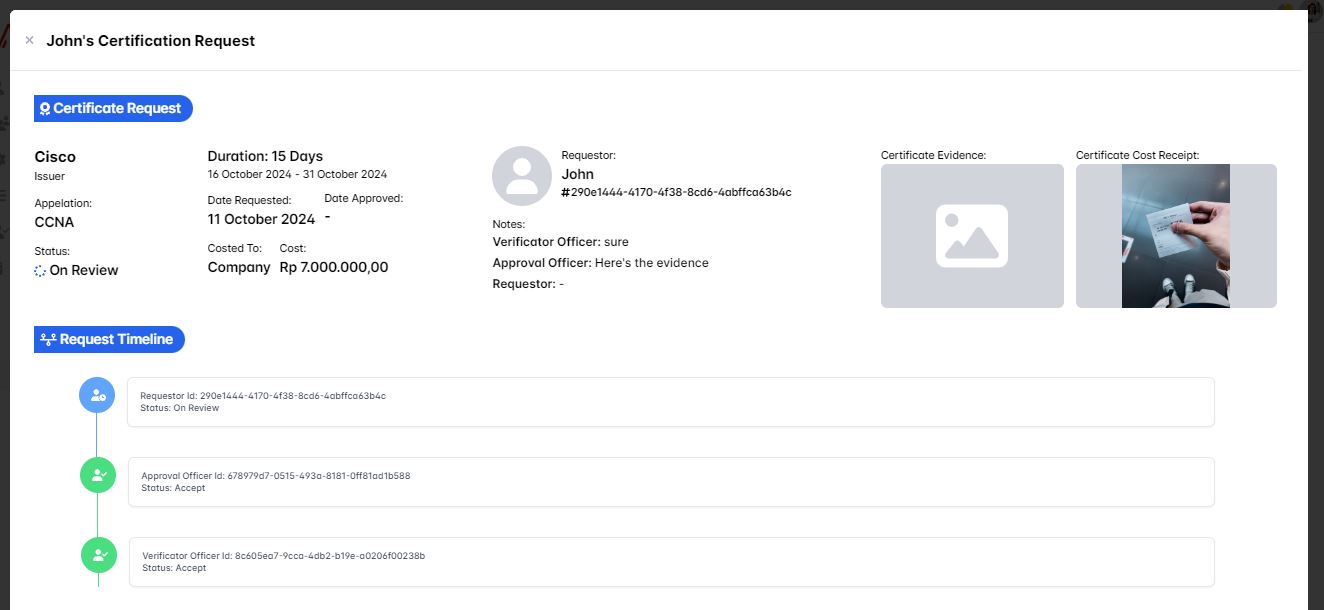
Now, we just need to wait for the requestor to validate whether they've accepted it or not.
Decline User Request
To decline a user's request, simply click the Decline Request button.
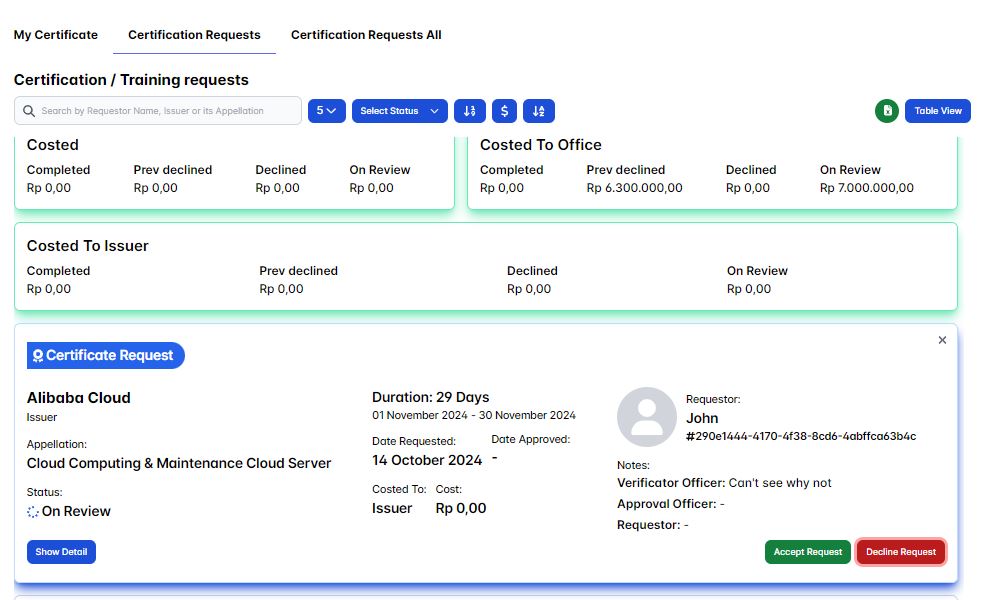
A confirmation pop-up will appear, prompting you to write a message to the requesting user. The requesting user will see your message on their side.
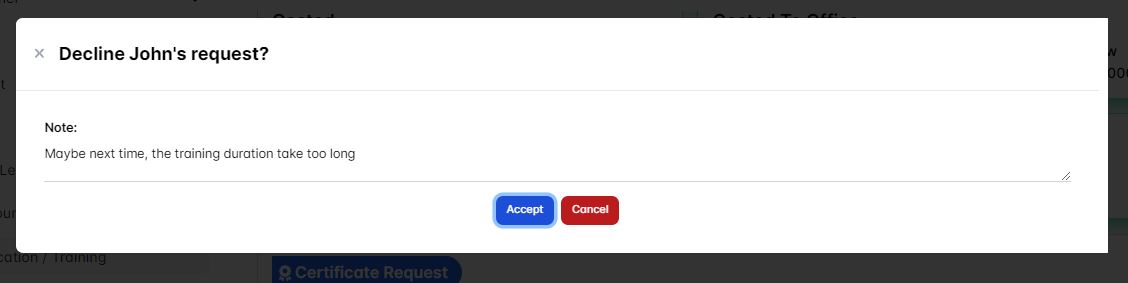
After you're satisfied, click the Decline button to decline the user's certification request.
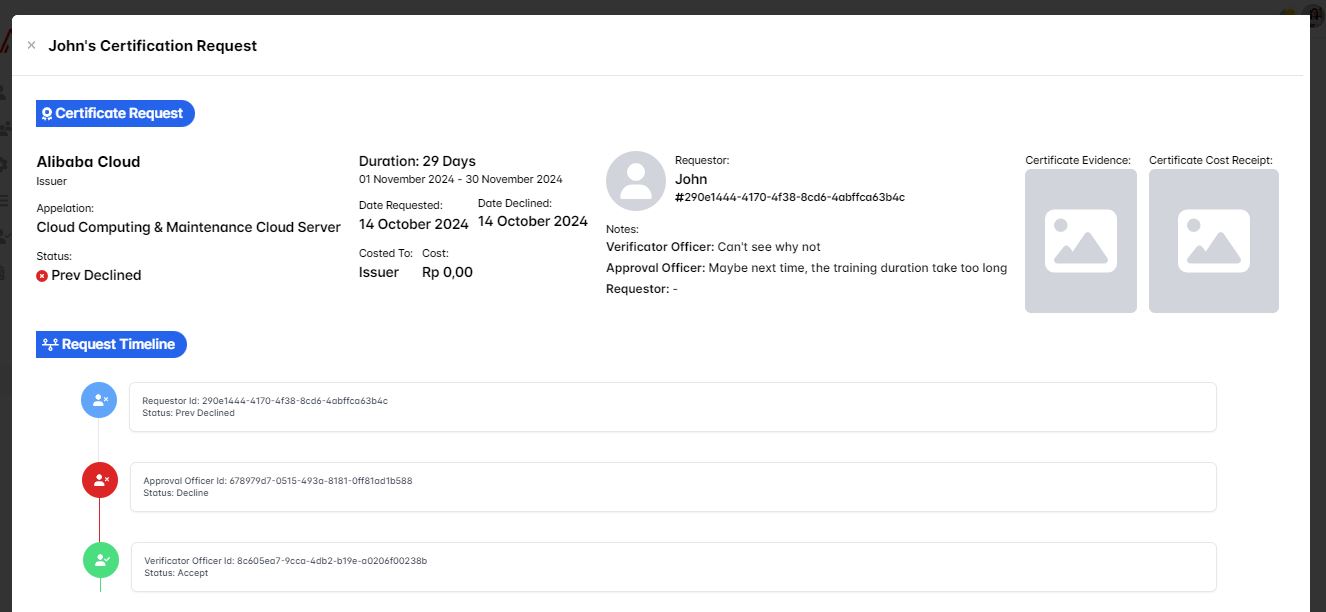
When you click the show detail button, you'll see the request timeline updated with the verificator officer status as Accepted, and your notes as the approval officer will be displayed as proof that you've declined the user's certification request.