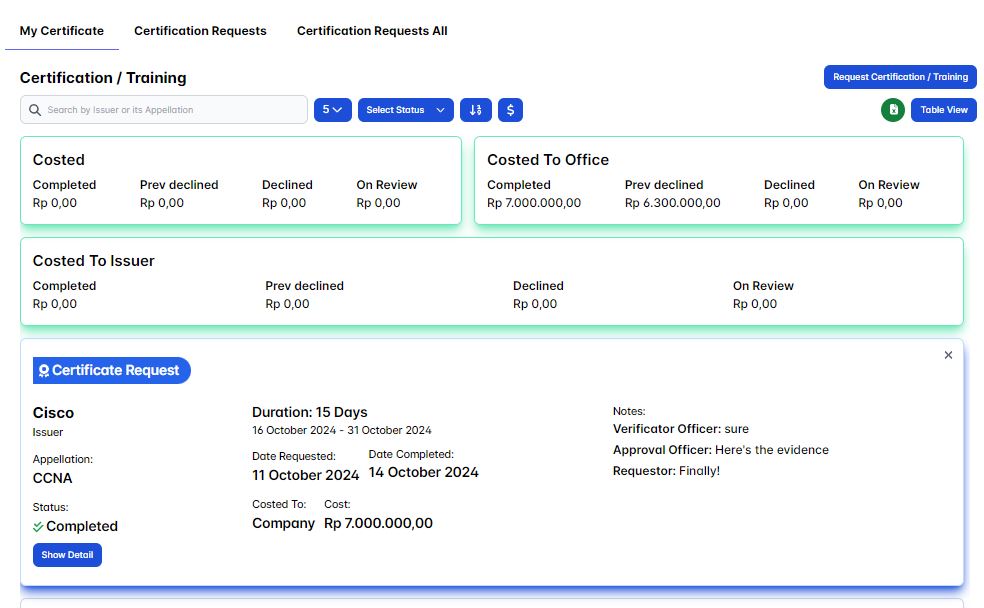
My Certificate
A certificate is an official document that serves as proof or verification of certain facts, qualifications, or achievements. It can be issued for various purposes, including education, professional training, or legal recognition. user could make a certification/training request via a submission My Certificate request section page feature.
Request Certificate
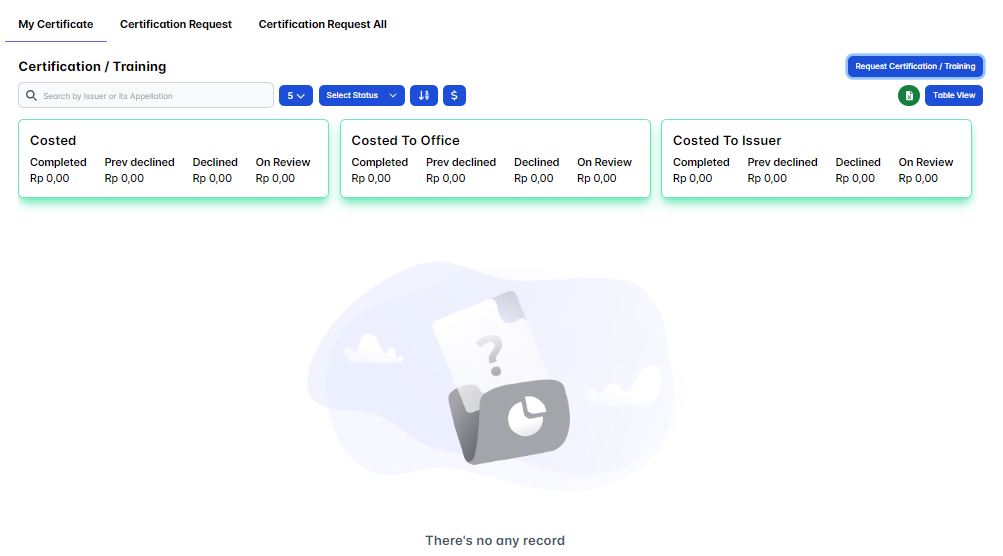
To create a certificate/training request you could click the Request Certification/Training button.
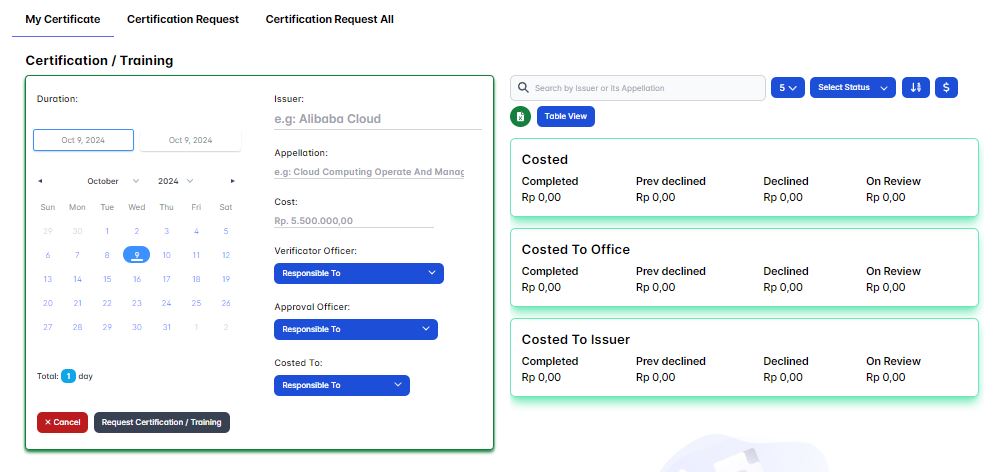
Then the certification/training request form will appear, fill in all the form input such as the certification/training issuer, appellation, cost, costed to then choose your verificator officer and the approval officer.
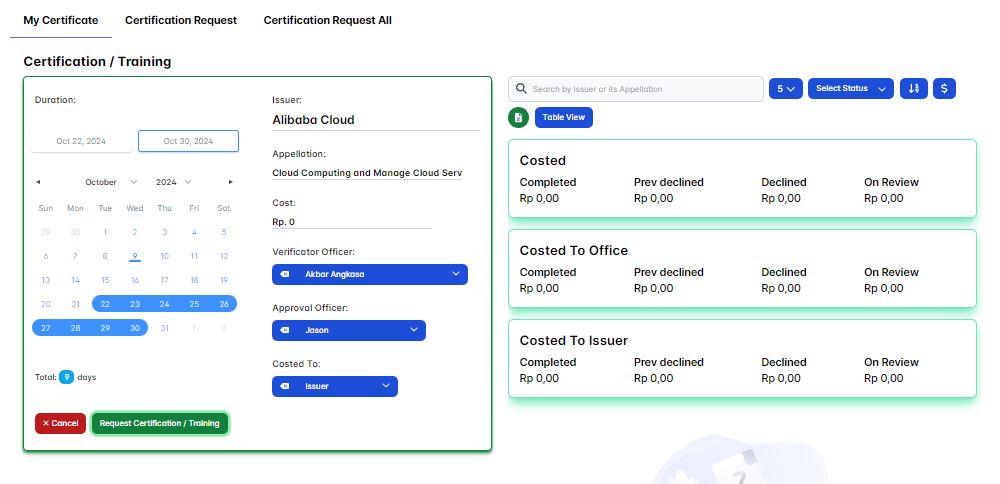
Once you've fill in all the required input then click Request Certification / Training button to submit your certification/training request.
You've successfully created a certification/training request!, now you just need to wait for verificator officer and the approval officer to either accept or decline your certification/training request.
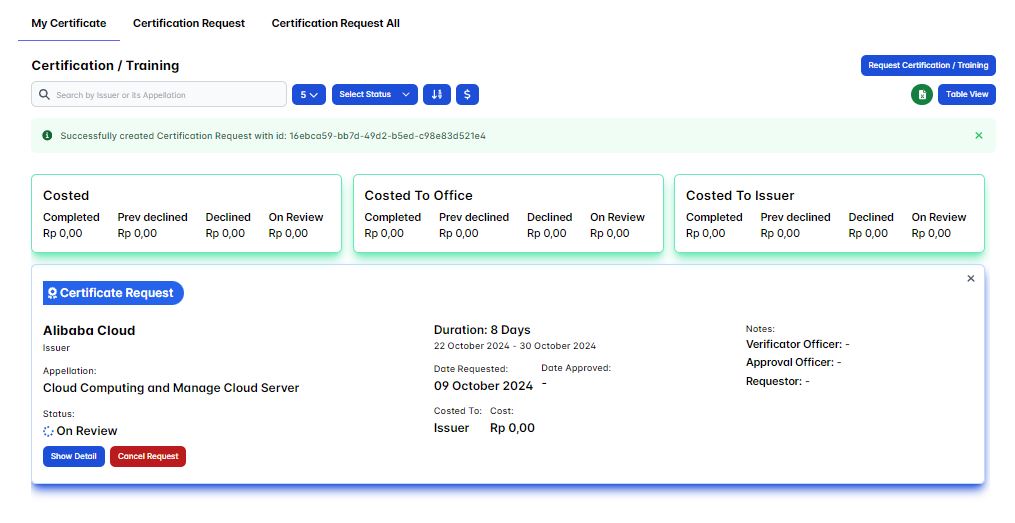
Accept My Certification Request
If your certification request is accepted by both the verificator officer and approval officer, you should see the certification receipt as the payment evidence in your requested certification request. Try to click the Show Detail button on your current requesting certification.
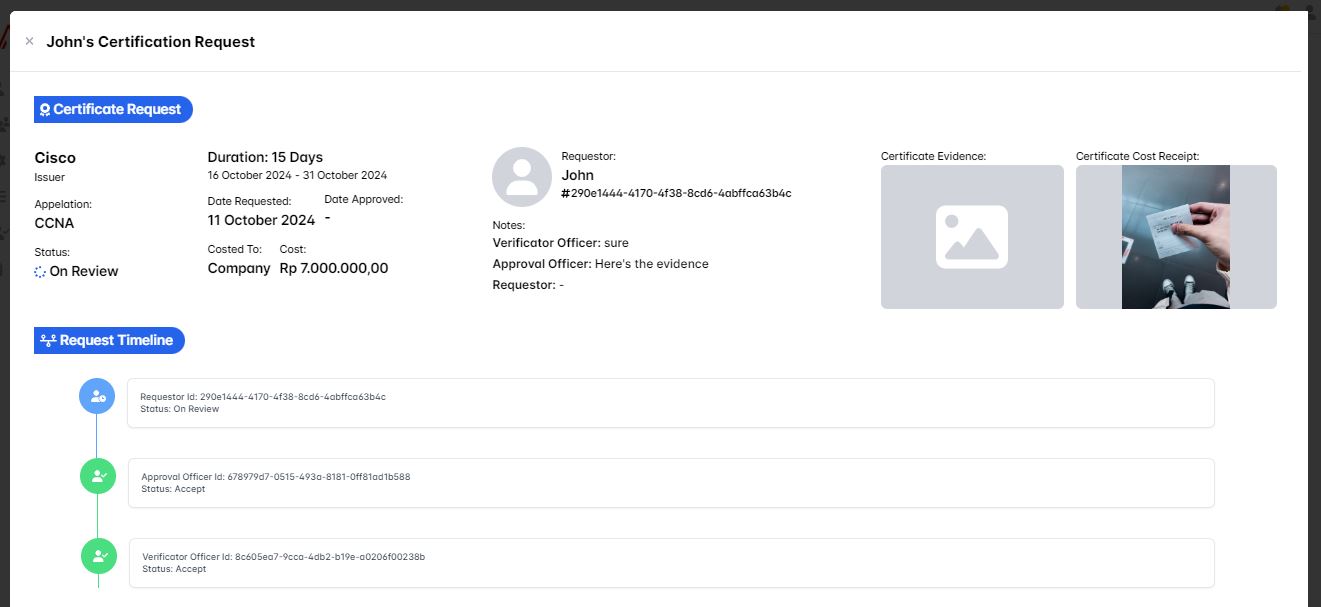
In the show detail mode, you'll see your Certification Receipt as your payment evidence, and the Request Timeline is also updated. Now it's up to you to either accept or decline the certification evidence. If the certification is valid, accept it by clicking the Accept Request button. Otherwise, decline it by clicking the Decline Request button.
Always make sure your business-related certification is properly validated. For instance, if you're taking your certification payment via a bank transfer, then check your bank account balance for any history that matches your current certification request, especially in terms of the payment amount.
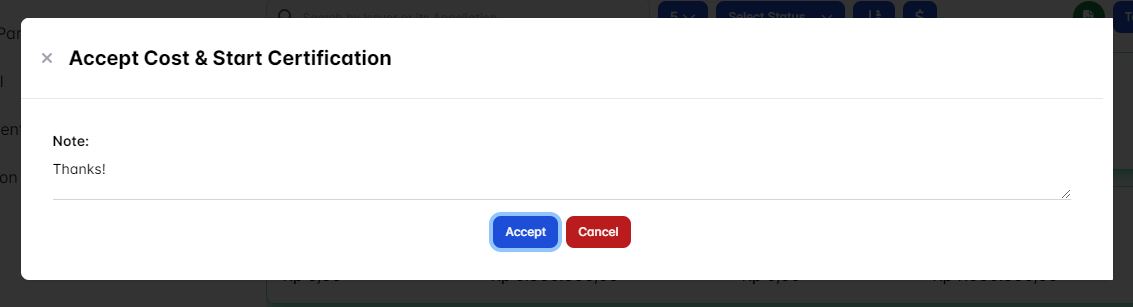
Now let's consider this Certification Receipt a valid one. Click the Accept Cost & Start Certification button to finalize your certification request.
A confirmation pop-up will appear, prompting you to write a message explaining why you're accepting the certification request.
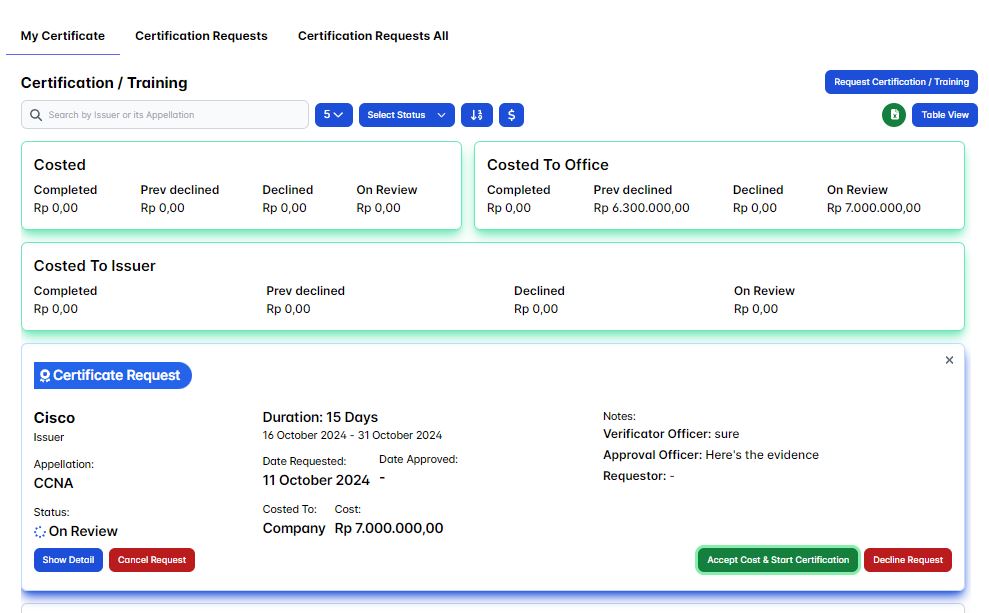
Finally, you've finished your certification request. Notice that your personal stat for your certification is displayed on the My Certification page section.
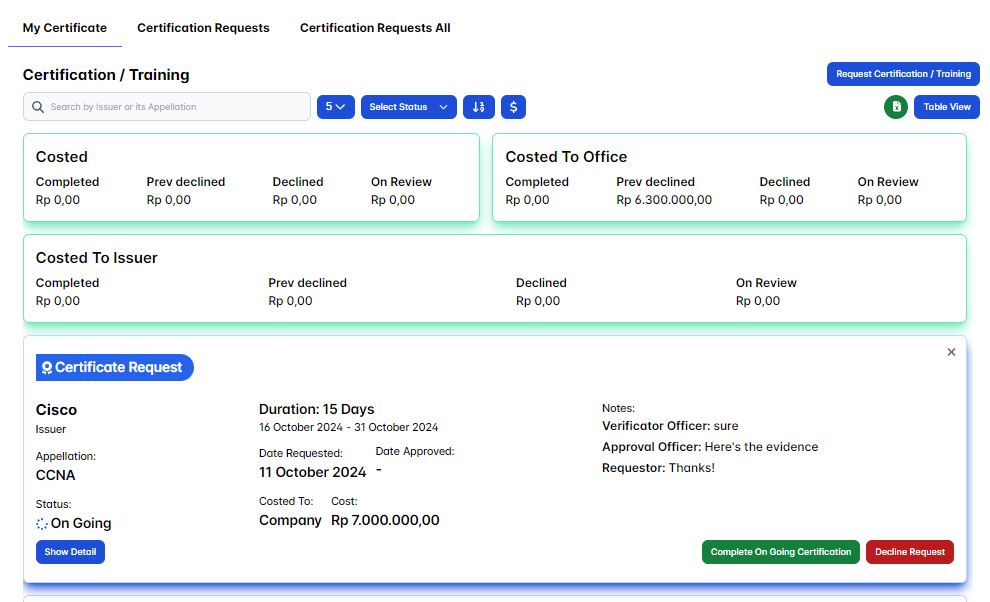
Once your certification/training request status is accept by both verificator officer and the approval officer, then it'll affect your attendance(s) list.
Finish Certification
Once you've finished your certification/training you'll need to confirm it by click the Complete On Going Certification button.
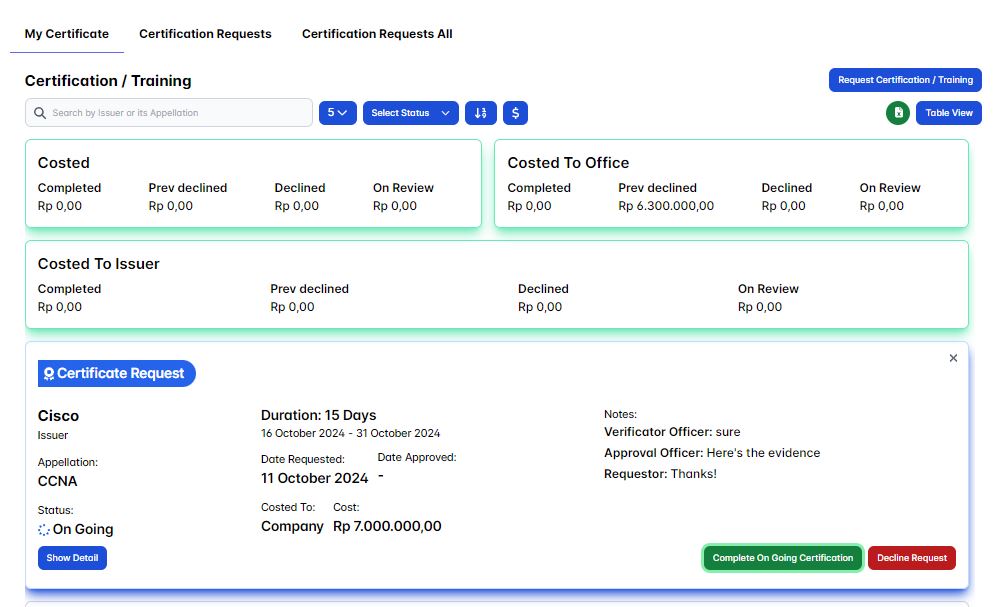
Then you'll be prompted to provide the certification/training certificate evidence via the pop-up dialog box.
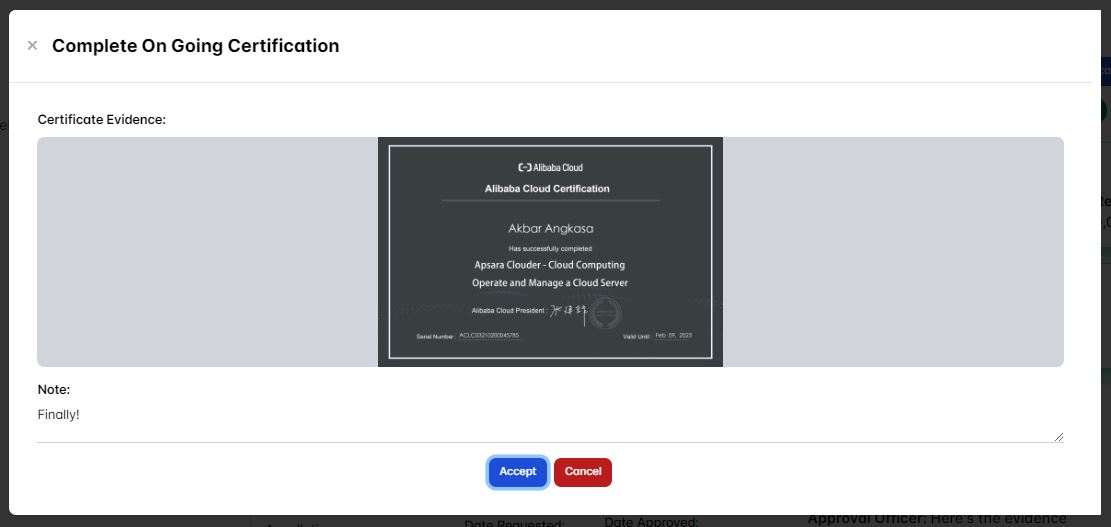
Finally you've finished your certification/traingin, notice that you'll see your personal stat of your Certification is being displayed on the My Certification page section.