Users Attendance Records
The Users Attendance Records feature allows Admin to view and manage individual user attendance details, including personal information, assigned attendance locations and shift details.
1. List of Users Individual Records
Each list/card contains detailed information about a user's profile and their attendance records, ensuring accurate tracking and management.
1.1 User Information
Each user record includes the following details:
- User Name: The full name of the user.
- User Email: The registered email address of the user.
- User Main Role: The primary role assigned to the user.
- User Position: The job position of the user.
- User Department: The department where the user is assigned.
- Account Status: Indicates whether the user's account is Active or Inactive.
- Employment: Specifies the type of employment (e.g., Full-time).
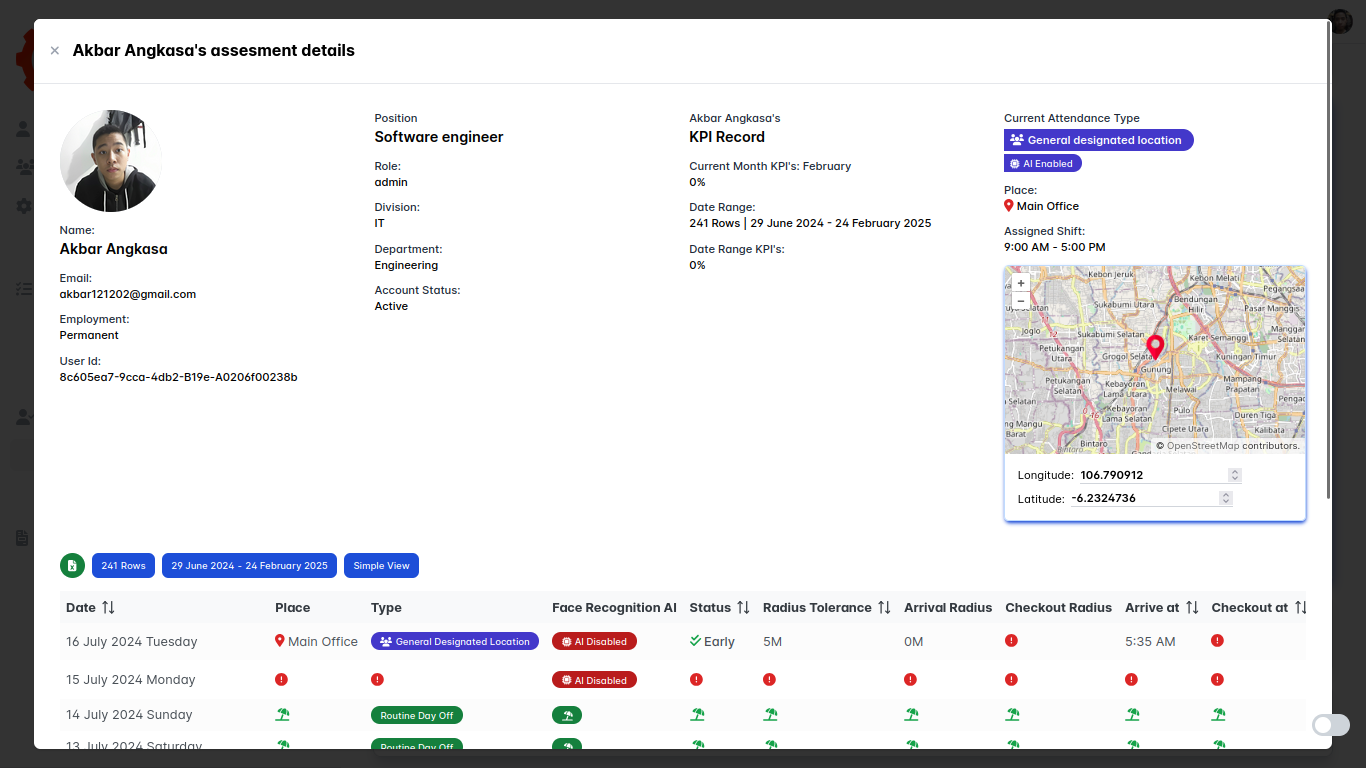
1.2 Attendance Details
Each user’s attendance record includes:
- Current Attendance Type: Specifies the attendance type (e.g., General Designated, Group Designated, Individual Roaming).
- Attendance Place Name: The name of the location where attendance is recorded.
- Attendance Assigned Time Shift:
- Start Time: The beginning of the assigned shift.
- Finish Time: The end of the assigned shift.
- Attendance Longitude and Latitude: The exact coordinates of the attendance location (for non-roaming locations).
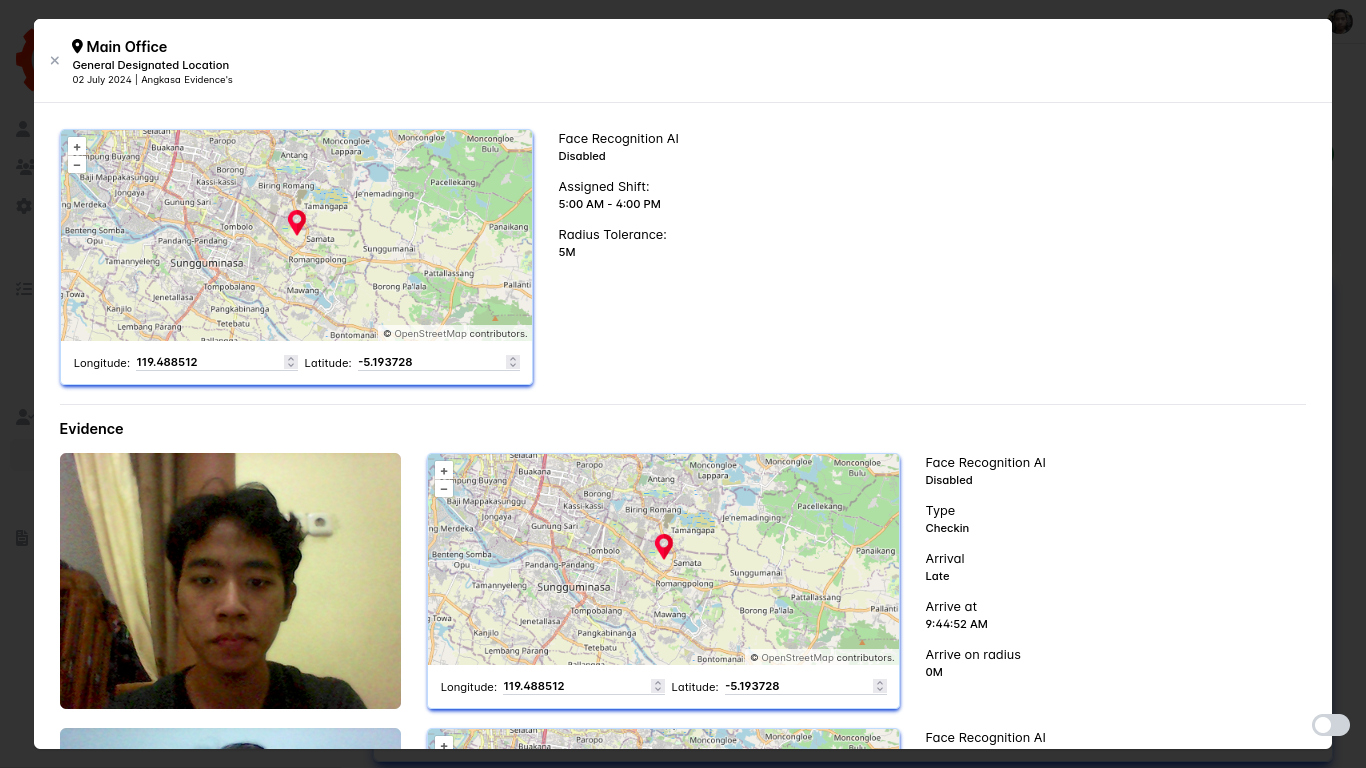
Example of Users Attendance Records View
Below is an example of the Users Attendance Records interface:
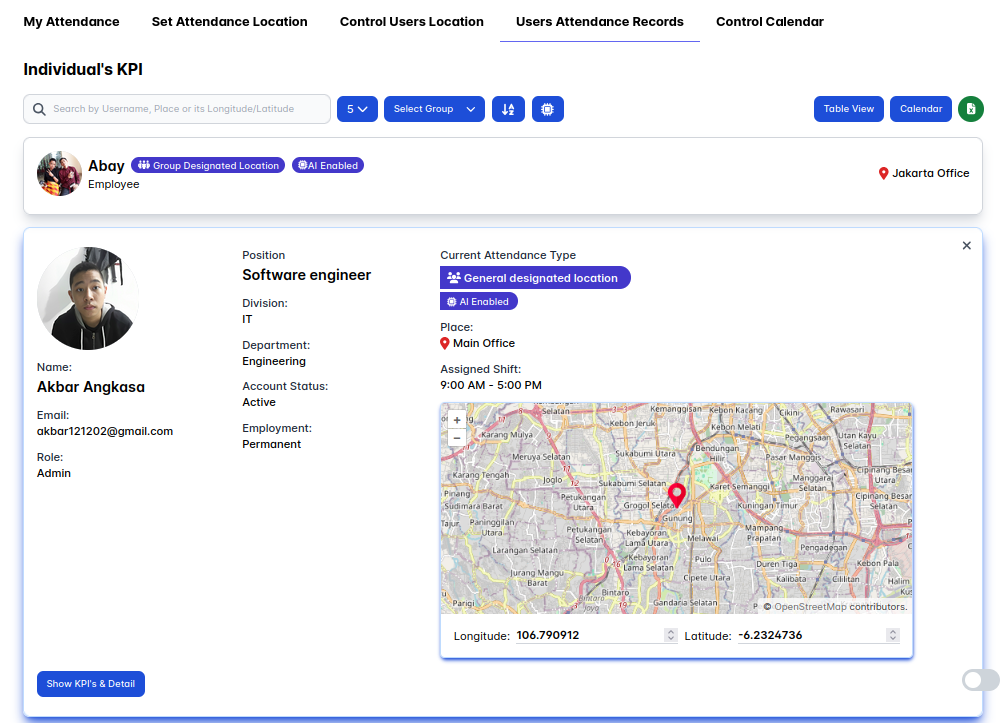
This interface provides an easy way for Admin to review and manage attendance records, ensuring compliance with attendance policies and accurate tracking of user attendance.
By using the Users Attendance Records feature, Admin can effectively monitor attendance, track designated locations and manage attendance assignments efficiently. ✅